
Fix Game Lag and Stuttering with Driver Booster 13 (Smooth Gameplay in 2026)
Why Games Lag Even When FPS Looks Fine
A stable FPS counter doesn’t always mean smooth gameplay. Many gamers still experience micro-stutters, sudden freezes, or random crashes. In most cases, the root cause isn’t your hardware—it’s outdated, missing, or incompatible drivers.
Manually updating drivers can be time-consuming and risky. That’s where automated tools like Driver Booster 13 come in, helping you detect and fix driver-related issues quickly and safely.
Part 1: Overview of Driver Booster 13
Driver Booster 13 is a powerful driver updater designed to keep your system running at peak performance. It scans your PC for outdated, faulty, or missing drivers and updates them in just one click. With a database of over 18 million drivers, it covers almost all hardware components, including graphics cards, audio devices, network adapters, chipsets, and more. By installing stable and optimized drivers, it helps reduce lag, prevent crashes, and improve overall system responsiveness. The clean interface and automated process make it suitable for both beginners and advanced users.
Part 2: Key Features That Improve Gaming Performance
If you want to fix game lags and stuttering, then Driver Booster 13 is the best option. Here are the top features of this tool that make it one of a kind:
- One-Click Driver Updates: Driver Booster 13 automatically scans your system and identifies problematic drivers. With a single click, you can update everything—no manual searching required.
- Game Ready Driver Support: The tool prioritizes Game Ready drivers for NVIDIA and AMD GPUs, ensuring better compatibility and optimized performance for the latest games.
- Support All Major Brands: With support for 18+ million drivers, it covers a wide range of devices:
- Graphics & display drivers
- Audio & sound cards
- Network & Wi-Fi adapters
- USB & Bluetooth devices
- Printers, scanners, and more
This ensures your entire system stays up to date—not just your GPU.
- Deep Game Optimization: Driver Booster 13 includes basic system optimization features that help:
- Reduce background processes
- Improve system responsiveness
- Allocate more resources to gaming
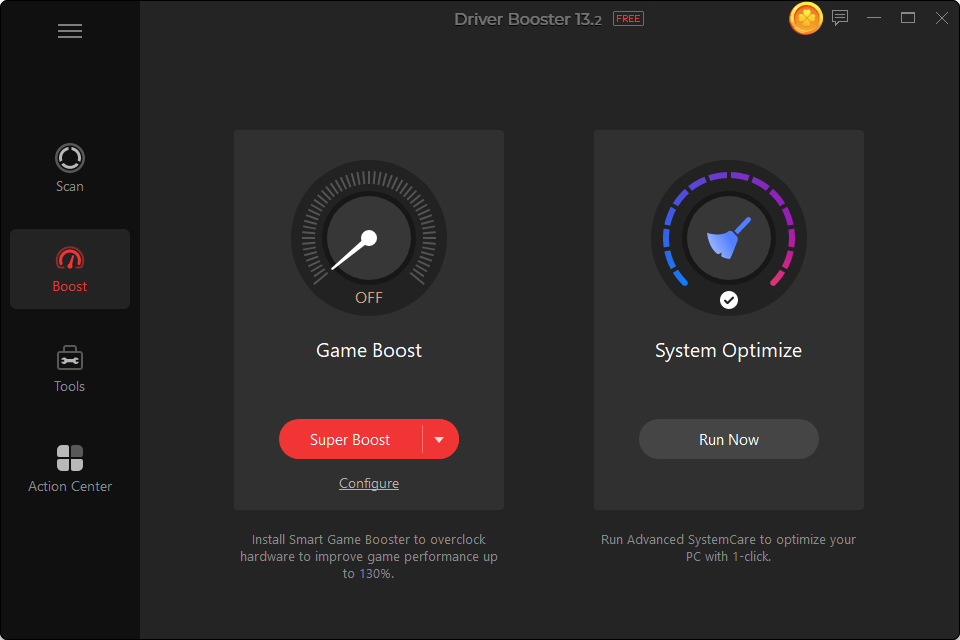
- User-Friendly Interface: The program offers an intuitive interface, which is ideal for non-tech and beginner users. It allows users to update their PC drivers easily without going through complicated or confusing steps.
- Certified Safe Updates: Drivers are tested through WHQL certification and IObit Test, reducing the risk of installing unstable or incompatible versions.
- Compatibility: Driver Booster 13 works seamlessly with all Windows versions, including the latest 10/11. Further, it supports ARM64 devices, ensuring smooth performance across a wide range of modern systems.
Part 3: Tips to Avoid Game Lags and Stuttering Issues In The Future
In the vibrant gaming scene, every second of gameplay counts. A single stutter or frame drop can change the outcome of a match. Here are some tips that you can use in the future to avoid game lags and stuttering:
- Regularly Update Drivers: One of the main reasons behind game lags is outdated drivers. Use tools like IObit Driver Booster 13 to automatically scan and update your drivers.
- Use a Stable Internet Connection: Multiplayer games like Fortnite and PUBG requires stable internet connection for a smooth experience. A weak or unstable connection can lead to game lags and stuttering.
- Activate Antivirus Protection: Keeping your antivirus protection enabled is essential to prevent malware, viruses, and other threats that can slow down your system and cause game lag or crashes.
Part 4: How to Fix Game Lags and Stuttering Issues With Driver Booster 13?
With this driver updater, users can fix any lag and stuttering issues with a single click. Here is how to do it:
- Download, install, and launch the latest version of IObit Driver Booster 13. Next, click on the “Scan” button to begin the scanning process.
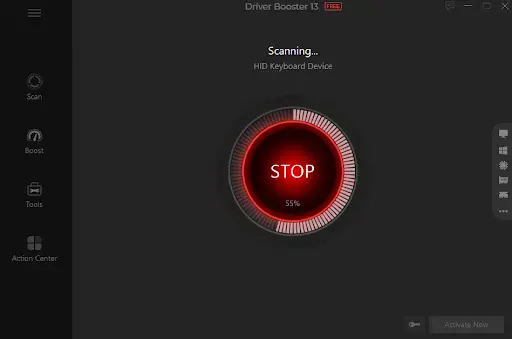
- Within seconds, Driver Booster 13 detects all the outdated drivers available on your PC. After detection, it provides a clear list of drivers that need updates, allowing you to update them with just one click.
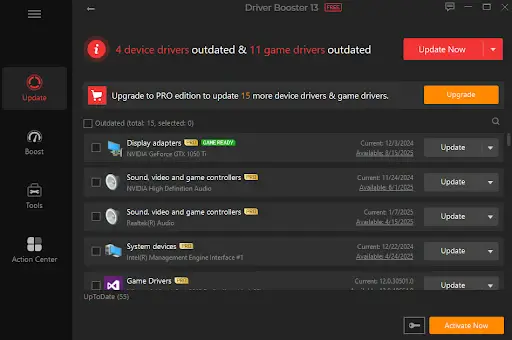
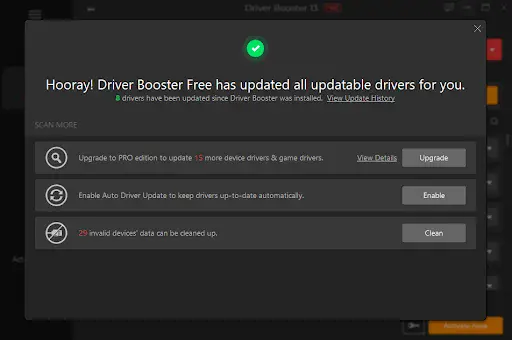
- Finally, click on the “Update All” button to begin the software updating process. Once all the drivers are updated, your game lag and stuttering issues will automatically be solved.
Part 5: FAQs Related to Driver Booster 13
- Is Driver Booster 13 Free to Use?
Yes, Driver Booster 13 is free. With the help of this tool, users can update millions of drivers with a single click for free.
- Can Driver Booster Improve Gaming Performance?
Yes, Driver Booster 13 can easily improve gaming performance. It detects and installs the latest gem-ready drivers for NVIDIA GeForce and AMD.
Final Thoughts
Game lag and stuttering are often caused by outdated or unstable drivers rather than weak hardware. Driver Booster 13 simplifies the entire update process, helping you maintain a stable and optimized system.
If you want smoother gameplay without the hassle of manual updates, it’s a practical solution worth considering in 2026.
